
How to Use a Netflix Subtitle Translator for Language Learning in 2025
Published on December 2, 2025
Netflix's global library offers extensive content, but lack of needed subtitles can hinder full access and enjoyment.
Turning movie night into a language lesson requires dual-subtitle support, which Netflix lacks, frustrating many learners.

A Netflix subtitle translator enables viewing subtitles in two languages at once, supporting immersive education and access beyond borders.
Robust browser extensions for Netflix allow translation, subtitle customization, and loading external files, removing language barriers while enhancing viewing.
This definitive guide explores the best tools available in 2024. We provide a step-by-step walkthrough for installation. We also explore advanced techniques to maximize your learning. By the end, you will have everything you need to master your chosen Netflix subtitle translator. You will elevate your streaming experience.

1.Why Use a Netflix Subtitle Translator? Unlock Possibilities Beyond Watching
A Netflix subtitle translator is far more than a simple translation tool. It is a key that unlocks the full potential of Netflix's vast library. It also transforms passive entertainment into a productive learning opportunity. For any viewer looking to break down language barriers, this tool is indispensable.
1.1 Break Down Language Barriers to Access the Global Library
Netflix’s content library is global, but its subtitle support is not. A hit Spanish series like Money Heist, for example, may not offer official Thai subtitles. This leaves many viewers behind. A reliable Netflix subtitle translator solves this by generating translations. It ensures you never miss out on great content due to language. It makes the entire global library accessible.
1.2 Empower Immersive Language Learning
Immersion is a highly effective way to acquire a language. Studies show that learning through engaging media can boost retention by up to 40%. This is the core idea behind language learning with Netflix. A powerful Netflix subtitle translator makes this process seamless. It displays dual-language subtitles, allowing you to compare vocabulary and sentence structures in context. This makes Netflix language learning both fun and effective.
For the discussion on "how to use Netflix subtitles when learning a language", bilingual subtitle extensions are often mentioned as auxiliary tools.
1.3 Gain Deeper Understanding of Cultural Context and Slang
Official subtitles sometimes sacrifice cultural nuances for fluency, especially with slang or puns. For instance, a literal translation of the American idiom “break a leg” would be confusing. A high-quality Netflix subtitle translator lets you see the machine translation alongside the original text. This helps you understand authentic cultural expressions more deeply. The comparative insight offers a unique value that standard subtitles cannot provide. It makes a Netflix subtitle translator an excellent tool for cultural exploration.
The simplest way is still to directly replace the language on the official channel. Here is an official tutorial.The officially released video "How to use? | Netflix Subtitle Translator" demonstrates how to use the extension on Netflix to translate official subtitles into multiple languages and customize subtitle styles.
However, sometimes the subtitles we want are not available. At such times, we need to rely on third-party tools.
| Feature | NifxMultiSubs | DualSub | Substital |
|---|---|---|---|
| Best For | Language Learners | Power Users | Multi-platform |
| Customization | Limited | High | Medium |
| External Subs | No | Yes (.SRT/.ASS) | Yes |
| Setup Difficulty | Easy | Medium | Easy |
2.In-Depth Review of the Best Netflix Subtitle Translator Tools in 2025
The market has many Netflix subtitle translator tools, but their quality varies. To help you choose, we tested over a dozen popular options and selected the top three performers. This review will guide you to the perfect Netflix subtitle translator for your needs. It is ideal for language learners and tech enthusiasts who seek the ultimate viewing experience.
2.1 Introduction to Our Review Criteria
We evaluated each subtitle translator on four core criteria. The first is translation quality, which determines the accuracy of comprehension. The second is stability, ensuring no crashes or delays during long viewing sessions. The third is feature richness; dual-language support and customization are major advantages. Finally, a clean and intuitive user interface is a key factor. A good Netflix subtitle translator should not complicate the setup process.
2.2 NifxMultiSubs - The Top Choice for Language Learners
NifxMultiSubs is a powerful tool designed for language learners. It is a focused and efficient Netflix dual-language subtitle plugin. Its primary function is to display bilingual subtitles reliably. This Chrome Netflix subtitle tool boasts over 500,000 users. It also holds a high 4.5-star rating on the Chrome Web Store. This proves its dependability.
Its advantages are clear. It requires almost no setup after installation. It quickly shows a second machine-translated subtitle next to the official one. Some users want to improve their language skills through comparison. For them, this is a perfect Netflix subtitle translator. However, its drawback is limited customization. You cannot adjust font size or color. Do you need a simple, stable Netflix subtitle translator focused on bilingual learning? If so, NifxMultiSubs is the best option.

2.3 DualSub - The All-In-One Subtitle Master
DualSub is the "Swiss Army knife" of subtitle tools. It offers unparalleled control for advanced users. It is not just an excellent Netflix dual-language subtitle plugin. It is also a comprehensive subtitle management platform. This Netflix subtitle translator allows users to mix and match official subtitles with machine-translated ones. You can even load local.SRT or.ASS files.
Imagine you want to watch a film with a more accurate, fan-made subtitle file. Dualsub makes this possible. Its customization options are rich. They allow you to adjust everything from font and color to position and background. This makes DualSub one of the most powerful Chrome Netflix subtitle tool choices available. Of course, with great power comes a slightly more complex setup. Some users seek ultimate personalization. For them, this Netflix subtitle translator is the best on the market. It is a truly versatile subtitle translator.
2.4 Substital - More Than Just a Netflix Tool
Substital’s greatest strength is its broad compatibility. Unlike the other two, it is not just a Netflix subtitle translator. It also supports YouTube, Vimeo, Dailymotion, and many other video platforms. This makes it a universal subtitle translator solution. It provides a consistent subtitle experience across different websites.
For example, a user named Alex wanted to watch a niche French documentary on Vimeo. It lacked English subtitles. He downloaded a separate.SRT file online. He then used Subtitle, a versatile subtitle tool. It allowed him to easily load the file into the video player. This helped him overcome the viewing barrier. Substital’s optimization for Netflix is not as deep as NifxMultiSubs or Dualsub. However, it is a practical Netflix subtitle translator. It is ideal if you need to use external subtitles on multiple platforms. This Netflix subtitle translator offers fantastic flexibility.
On reddit, there are also some developers who have independently developed the "Netflix Subtitle Translator" tool.Some developers shared their "Netflix Subtitle Translator" project, which they built over the weekend, in a post. They explained how to solve the problem of Netflix shows lacking English subtitles and discussed the technical implementation and usage scenarios.
Other developers talked about the post titled "Netflix Subtitle Translator: The XPath Solution", focusing on the technical solution of using XPath to precisely capture Netflix subtitles, translate them, and synchronize them.
Of course, CapCut is also a good "Netflix Subtitle Translator" tool.This video is a tutorial showing how to translate Netflix subtitles using online tools such as CapCut, demonstrating the practical process from exporting Netflix subtitles to automatic translation and generating bilingual subtitles.
Tutorial on using CapCut mobile to translate and add subtitles in two languages, which can be applied to Netflix clips you’ve downloaded.
3.Step-by-Step Guide: Easily Achieve Netflix Real-Time Subtitle Translation
Now that you understand the power of a Netflix subtitle translator, it’s time to set one up yourself. The entire process is simple. It only takes a few minutes. This guide will walk you through every step, from installation to activation. We will use a popular Chrome Netflix subtitle tool as an example. This will make you a master of Netflix subtitle real-time translation.
3.1 Preparation: Install the Chrome Browser
To use these powerful extensions, you first need the Google Chrome browser. We recommend Chrome. It has the largest and most active Web Store. The vast majority of high-quality Netflix subtitle translator tools are developed there. If you don’t have it yet, you can easily download it. Get it from its official website. This is the foundation for running any Chrome Netflix subtitle tool.
3.2 Search and Install the Plugin from the Chrome Web Store
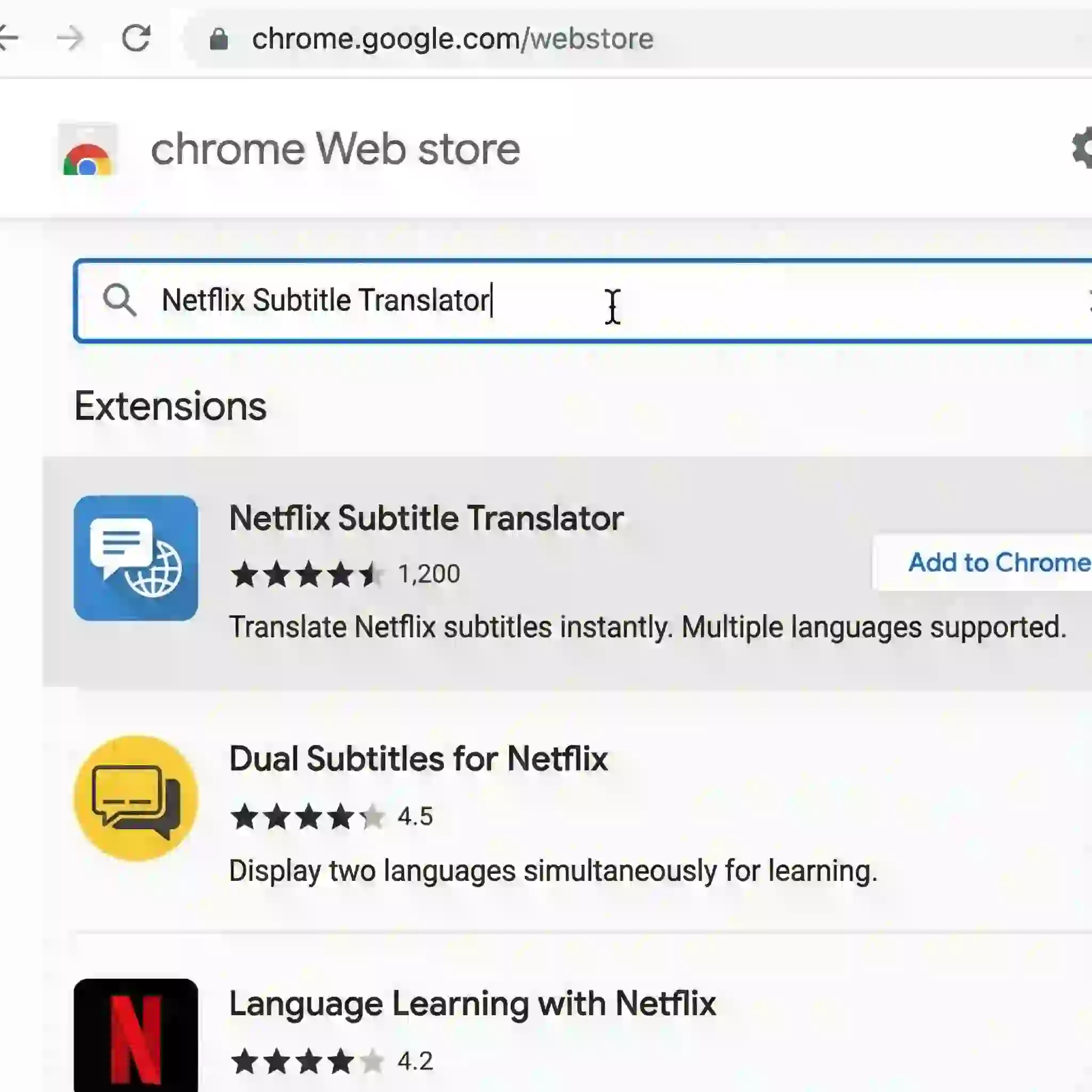
First, open your Chrome browser. Navigate to the Chrome Web Store. Go to the search bar on the top left. Type the name of a recommended plugin, such as ‘NifxMultiSubs’.
Look at the search results. Select the official version that has hundreds of thousands of users. It should also have a high rating. Then click ‘Add to Chrome’. A reliable Netflix subtitle translator will typically have clear developer information. It will also have positive user reviews.
3.3 Configure Real-Time Translation in the Netflix Player
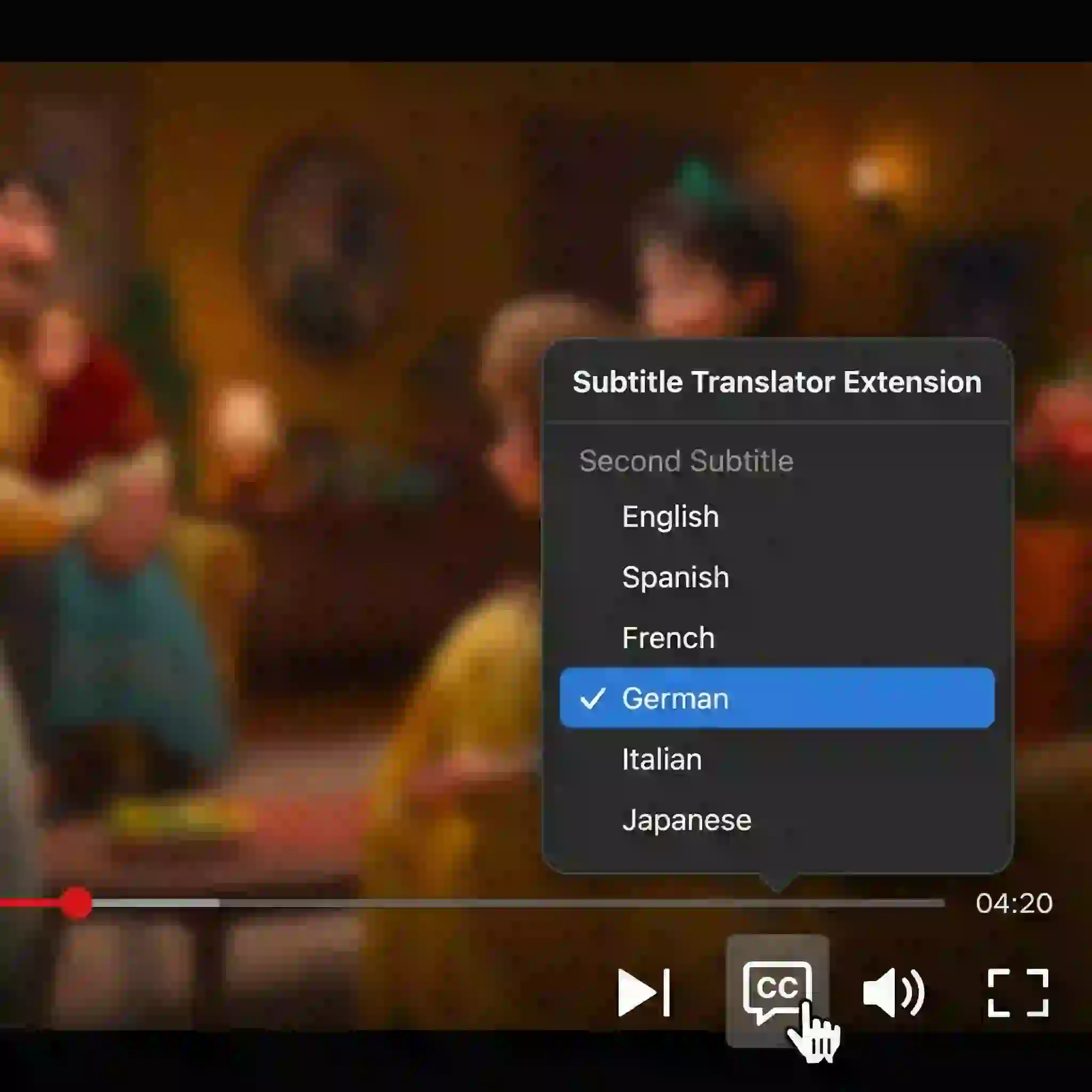
Once the installation is complete, open the Netflix website. Play any video. Move your cursor over the subtitle icon at the bottom of the player. You will notice a new panel added by the plugin. It sits right next to Netflix’s native options. Here, you can select your ‘second subtitle language’.
Make your selection. The plugin will start working immediately. This will enable Netflix subtitle real-time translation. Your Netflix subtitle translator is now successfully activated and running.
3.4 Troubleshooting Common Issues
Encountering problems? Don’t worry. Most issues are easy to fix. If subtitles are not appearing, the simplest solution is to refresh the Netflix page. Does the problem persist? Check your settings. Ensure your Netflix subtitle translator has the necessary permissions enabled in Chrome’s extension settings.
Do you feel the translation quality is poor? Some advanced Netflix subtitle translation tools let you switch engines. You can choose from different translation engines in their settings, such as Google Translate or DeepL. This can significantly improve real-time translation results for Netflix subtitles.
4.Advanced Tricks: Mastering Custom and AI-Translated Subtitles
The basic functions of a Netflix subtitle translator are powerful. For users seeking the ultimate experience, this is only the beginning. Are you not satisfied with official or machine-translated subtitles? You can use an advanced option. Create and load high-quality custom subtitles. This allows your Netflix subtitle translator to reach its full potential.
4.1 What Are Custom Subtitles? (.SRT & .ASS Files)
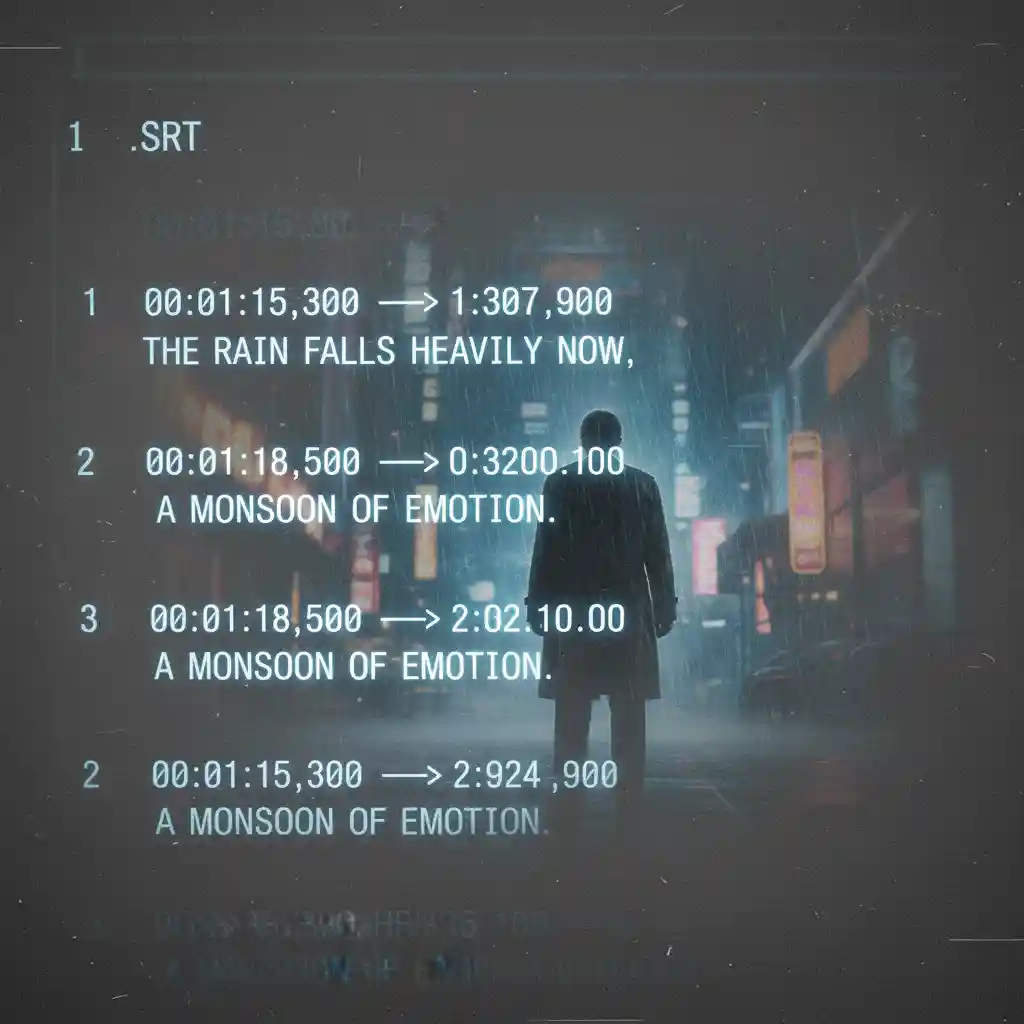
An.SRT file is the most common subtitle format. It is a plain text file containing timestamps and their corresponding text. You might need it when a niche film has no official subtitles. Sometimes the official translation is poor. Or, you might want a high-quality fan-made version. In these scenarios, loading custom subtitles is the only solution.
4.2 How to Use an Online SRT Translator for Pre-Translation
Do you have an .SRT file in the original language? If it needs translation, use an online .SRT translator. These websites are simple. Upload the subtitle file. Select your target language. The site translates it for download. This method is fast. However, its translation quality relies on standard machine translation engines.
4.3 Aiming for Perfection: Using AI Subtitle Translation Services
For high-quality translations, use professional AI subtitle services like DeepL. Their AI models are superior to standard tools. They understand context and natural language better. You can copy the text from your.SRT file into the AI translator. Get a more accurate translation. Then, paste it back. The quality of this file will exceed that of an instant translation from a typical Netflix subtitle translator.

4.4 Our Tool: AI Subtitle Translator
If you find these manual steps tedious, we offer a more powerful solution. Our 'AI Subtitle Translator' is a fully featured tool. It acts as a pre-processor for your Netflix subtitle translator. Upload a subtitle file in any format. Our advanced AI engine will translate it. It supports over 100 languages with batch processing. It also ensures perfect timeline alignment. This saves you from technical hassle.
4.5 How to Load Custom Netflix Subtitles into the Player
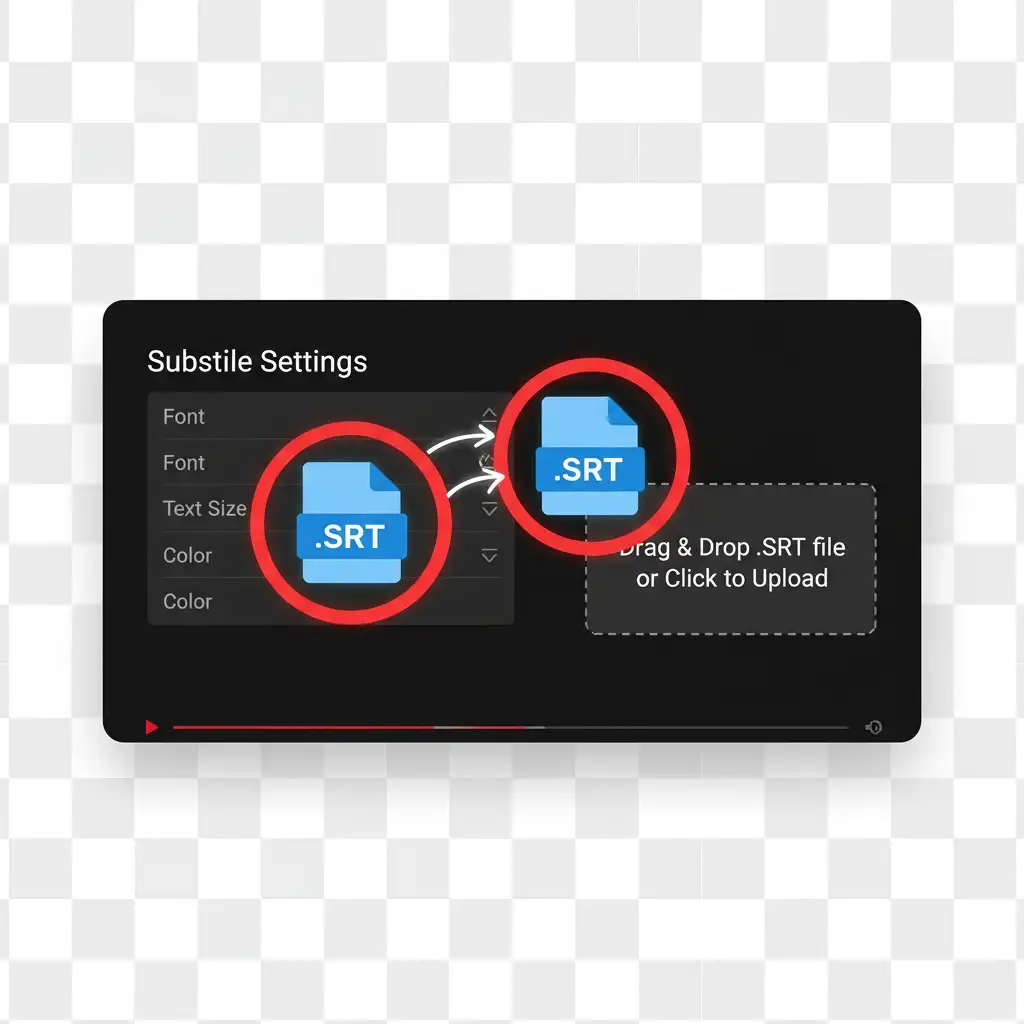
Once your high-quality subtitle file is ready, the final step is to load it into Netflix. Let's use a powerful Netflix subtitle translator like DualSub as an example. Find the 'Load local subtitle' option in its settings panel. Click it and select the.SRT file you prepared. Your Netflix subtitle translator plugin will load your custom subtitles. This delivers an unparalleled viewing experience.
5.Instantly Upgrade Your Netflix Experience
This guide has explored the powerful world of the Netflix subtitle translator. We reviewed the top tools and provided a complete walkthrough. We covered everything from basic real-time translation to advanced techniques. This includes.SRT translators and AI subtitle services. This knowledge equips you with the ultimate solution for your viewing needs.

You now have more than a tool. It empowers you to load custom Netflix subtitles. This breaks down language barriers. You can enjoy any series from around the globe. A great Netflix subtitle translator transforms your viewing time. It turns passive watching into an efficient language learning process.
You now have all the knowledge needed to get started. It’s time to choose the best Netflix subtitle translator for your needs. Install it and experience the incredible difference it makes. Which show are you most excited to watch with it? Share your choice and experiences in the comments below.