How to Use Our AI Subtitle Translator: A Complete Guide
Published on October 18, 2025
Want your great content to reach a global audience? Subtitles are the crucial bridge that connects you with viewers worldwide. But the traditional translation process is often time-consuming, expensive, and produces disappointing results, causing you to miss out on massive international traffic.
The good news is, our tool —— AI Subtitle Translator is here to solve all that. It allows you to batch translate multiple subtitle files into over 100 languages in minutes, all while keeping timestamps perfectly intact. Let's dive into how you can use this powerful subtitle translator tool.
I.Are You Facing These Common Subtitle Translation Issues?
When using conventional translation tools, you’ve likely encountered these frustrating problems. The AI Subtitle Translator was built to fix them.
1. Poor Translation Quality and Awkward Phrasing
Many free tools offer literal, word-for-word translations. This works for simple sentences, but when it comes to idioms, slang, or cultural nuances, the output is often a robotic, soulless script that leaves foreign viewers confused. This is especially true when creating Spanish subtitles.
Original Spanish: "No tener pelos en la lengua."
Poor Machine Translation: "To not have hairs on one's tongue."
Correct Meaning: "To be blunt" or "To speak one's mind."
A viewer reading the literal translation would be completely lost. A professional AI subtitle translator understands context to avoid such errors.
2. Lack of Batch Processing and Low Efficiency
For content creators with a series of videos, this is a major bottleneck. You have to upload, translate, and download each file one by one. This repetitive work drains your valuable creation time. The tool is designed to eliminate this chore.
3. Limited Format and Language Support
You might have .srt, .vtt, or .ass files. Many tools don't support all formats, forcing you to find a separate converter subtitle tool first. Furthermore, they often lack support for less common languages, limiting your global reach. Our AI Subtitle Translator handles this for you.
4. Corrupted or Missing Timestamps
This is the most critical failure. A translated subtitle file is useless if the timing is off. After processing, many tools produce files with delayed, premature, or completely missing timestamps, destroying the viewing experience. Fixing this requires a separate, tedious process in a subtitle editor.
Example of a Timestamp Error:
// Correct Timing
2
00:00:15,250 --> 00:00:16,800
The secret is inside the box.

// Incorrect Timing from a Bad Tool
2
00:00:19,100 --> 00:00:20,650
The secret is inside the box.
In the second example, the subtitle appears a full three seconds after the character has finished speaking. The AI Subtitle Translator ensures this never happens.
II.Goodbye Frustration: Your 3-Step Guide to the AI Subtitle Translator
Our powerful tool was designed to solve all the issues above. It’s efficient, accurate, and incredibly easy to use. Let's walk through the process, which is much faster than trying to manually sub translate files or use a clunky subtitle editor.
Step 1: Upload Your Subtitle Files (Batch Processing Supported)
Open the AI Subtitle Translator interface, and you'll see a clean and simple upload area.
You can either drag and drop your files directly into the box or click to select them from your computer.
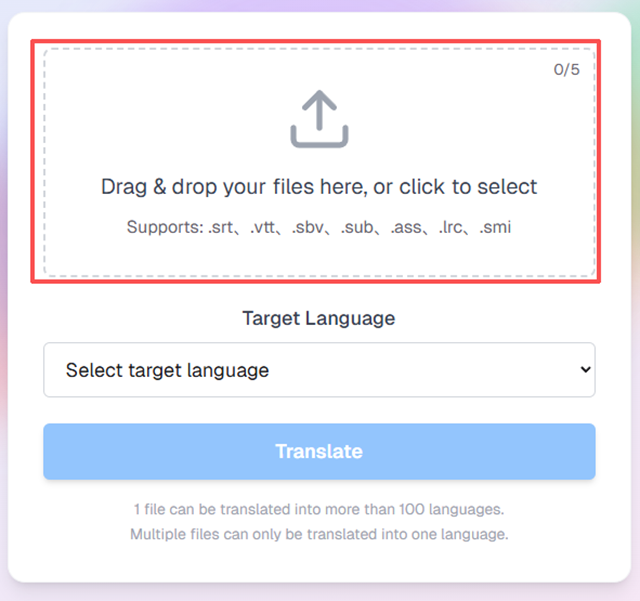
The tool supports all major subtitle formats, including SRT, VTT, SBV, SUB, ASS, LRC, and SMI. You no longer need a separate converter subtitle application.
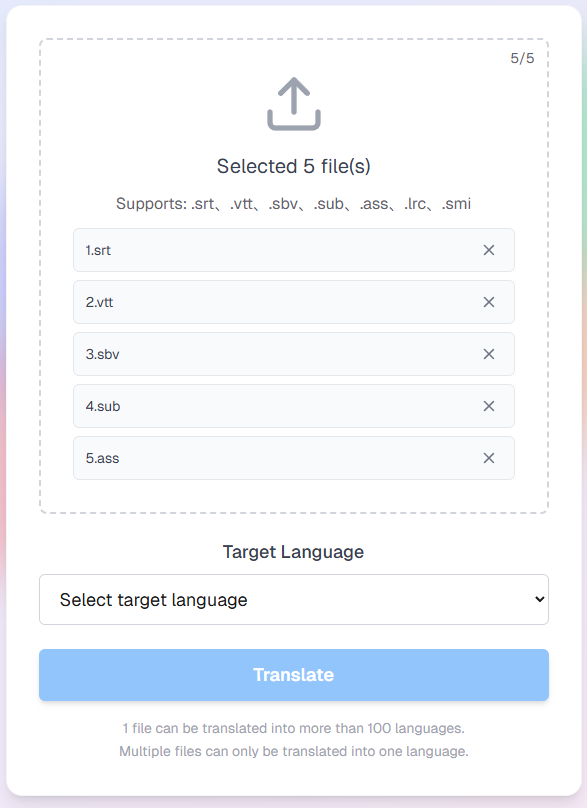
Here’s the key feature: you can upload and process up to 5 files at once. This allows you to translate an entire series of video subtitles in a single operation.
Step 2: Select a Target Language and Start Translating
Once your files are uploaded, they will appear in a list.
Next, click the "Target Language" dropdown menu and select the language you want to translate your subtitles into. The AI Subtitle Translator supports over 100 languages, covering everything from major global languages to niche dialects. This is perfect for generating high-quality Spanish subtitles or any other language you need.
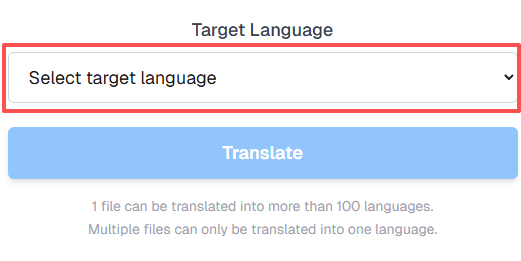
Please note: When processing a batch, all files will be translated into the same target language. If you need to sub translate your files into five different languages, you will need to perform five separate batch operations.
After selecting your language, simply click the blue 【Translate】 button and let the tool do the work.
Step 3: Check, Manage, and Download in Your Dashboard
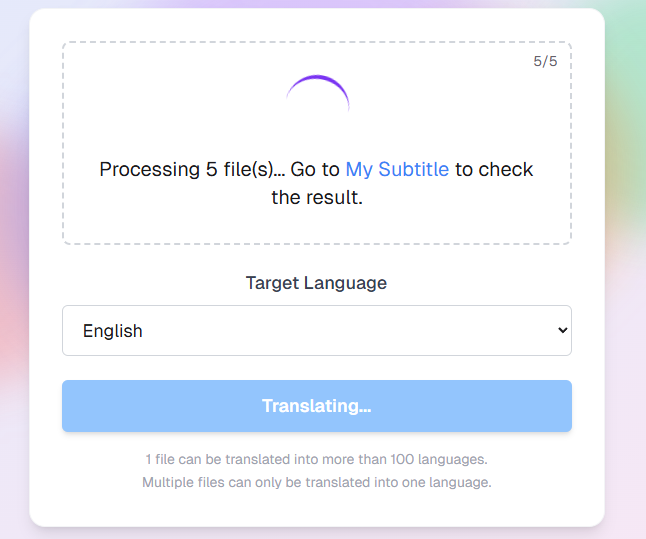
After you click translate, the AI Subtitle Translator begins processing your files in the background to keep your browser free.
The interface will display a message: “Processing... Go to My Subtitle to check the result.”
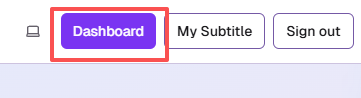
Click the 【My Subtitle】 button in the navigation bar to access your personal dashboard.
Inside your AI Subtitle Translator dashboard, you’ll find a clear management table with five columns:
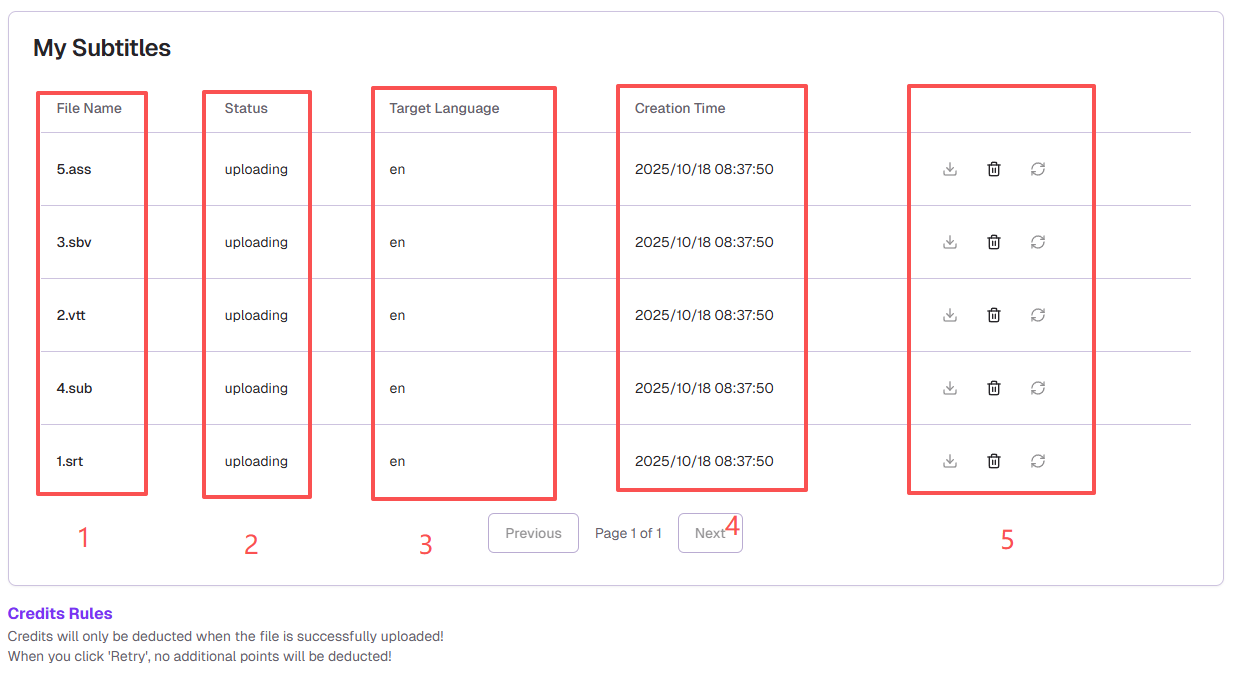
- File Name: The files you uploaded.
- Status: The real-time progress, such as uploading, completed, or failed.
- Target Language: The language you selected for translation.
- Creation Time: When the task was initiated.
- Actions: This is where you get your results. Once the status is completed, click the download icon. If a file fails, you can click Retry at no extra credit cost. This dashboard is more than a subtitle translator; it's a project management hub. Some users even use it as a quick SRT to text tool.
It’s that simple! With the tool, you can leave the tedious work behind. You don't need a separate subtitle editor or converter subtitle tool. You can finally focus on creating great content and let our AI Subtitle Translator handle the global distribution. Forget the slow process of converting SRT to text and back again. The best AI subtitle translator streamlines your workflow.
III.Take Action Now
Stop struggling with inefficient and inaccurate tools. Experience the speed and convenience of the AI Subtitle Translator today and let your creativity reach every corner of the globe.