
The Ultimate Guide to a Live Screen Translator PC: Unlock a World of Gaming
Published in February 6, 2026
Picture the scene. You have finally downloaded that anticipated Japanese RPG. It boasts stunning art, an epic soundtrack, and a deep world. But as you enter the game, the screen fills with Japanese dialogue and menus. All your excitement turns into frustration.
You click through options by guessing, completely missing the story. This ruins the experience.
You might try using your phone to translate the screen. Or, you might take screenshots to paste into a translation website. These clumsy methods pull you out of the immersive game world again and again.
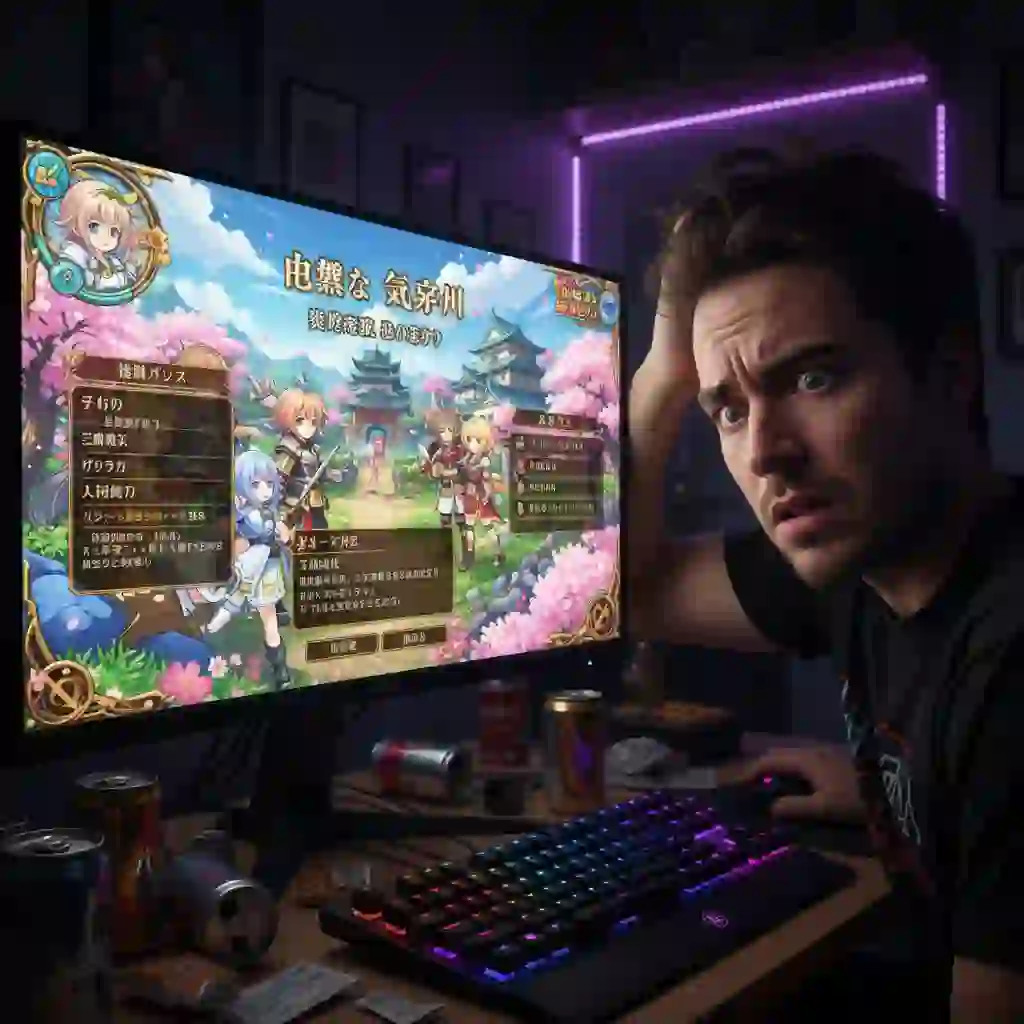
Language barriers cause you to miss out on great games. This pain is a constant frustration for many core gamers.
But what if there was a technology that could translate foreign languages on your screen in real-time? What if it worked without interrupting your game? This is where a live screen translator pc comes into play.
It acts like your personal, round-the-clock simultaneous interpreter. It allows you to understand and enjoy any game from anywhere in the world. A good live screen translator pc is a game-changer.
This article is your ultimate guide. We will teach you everything from scratch. You will learn how to choose, set up, and optimize your live screen translator pc tool.
You will conquer language barriers and unlock a new, borderless world of gaming. We will dive into the pros and cons of different tools. We also recommend the best solutions for specific scenarios.
1. What is a Live Screen Translator PC? How It Revolutionizes Your Gaming Experience
A live screen translator pc is more than a simple translation tool. It is a powerful piece of software. It is designed to interpret and convert text from your computer screen in real-time.
This technology is essential. It is for anyone who wants to enjoy content that is not available in their native language. For gamers, a live screen translator pc is a key to unlocking countless new adventures.
1.1. Defining the Core Technology: More Than a Translator, It's a Game World "Decoder"
The magic behind a live screen translator pc lies in a combination of three key technologies. First is screen capture, which takes a snapshot of a specific area of your screen. Second is Optical Character Recognition (OCR), the core of any on-screen OCR translator.
This technology scans the image and "reads" the pixels. It converts them into machine-readable text. It can identify characters in various fonts and styles, which is crucial for gaming.
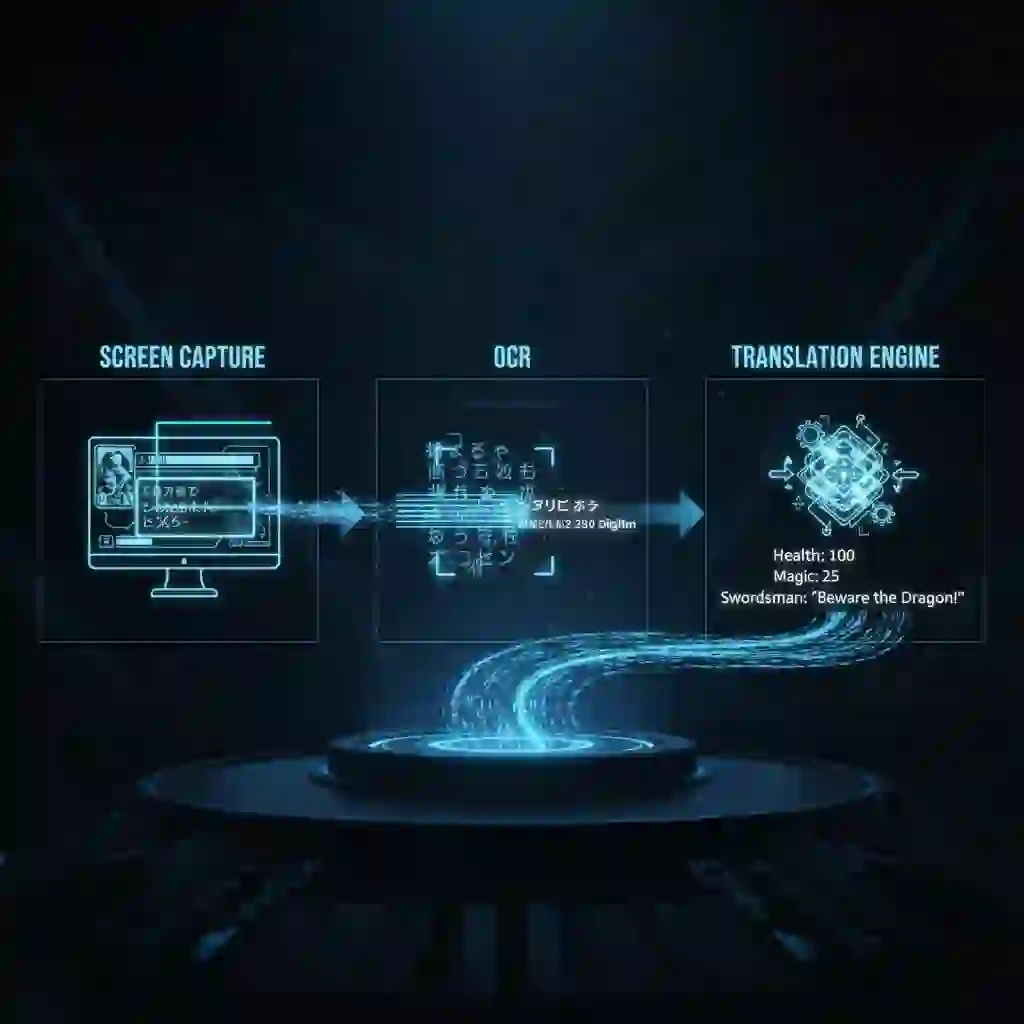
Finally, the software feeds this extracted text into a machine translation engine like DeepL or Google Translate. This engine provides the final translation.
This entire process of real-time screen translation happens in seconds. The fundamental difference from traditional translation software is its immediacy and seamless integration. A good live screen translator pc makes translation feel invisible.
Many users share their setups and experiences with different tools, offering valuable insights into what makes a great live screen translator pc for gaming and other applications.
A Reddit user discusses their ideal live screen translator
https://www.reddit.com/r/programmingrequests/comments/123g2rj/i_want_a_live_screen_translator_similar_to_how/1.2. Say Goodbye to Traditional Methods: Why a Live Screen Translator PC is the Only Choice
Gamers had to resort to clumsy workarounds before the advent of modern translation tools. These methods were slow and disruptive. They broke the immersive experience that games provide.
A dedicated live screen translator pc is superior in every way. Every serious gamer needs a live screen translator pc to break through language barriers.
Here is a comparison of a live screen translator pc with traditional methods:
| Method | Speed | Immersion | Convenience | Accuracy |
|---|---|---|---|---|
| Live Screen Translator PC | Instant | High | Very High | High (Engine Dependent) |
| Phone Camera Translation | Slow | Very Low | Low | Low to Medium |
| Screenshot & Paste | Very Slow | Very Low | Very Low | High (Engine Dependent) |
| Windowed Mode + Web Translator | Slow | Low | Medium | High (Engine Dependent) |
A quality live screen translator pc allows you to focus on the game itself, not the act of translation. The goal is to make the language barrier disappear, and only a dedicated live screen translator pc can achieve that level of seamlessness.
1.3. The Key Advantage: How a PC Game Translator Overlay Keeps You Immersed
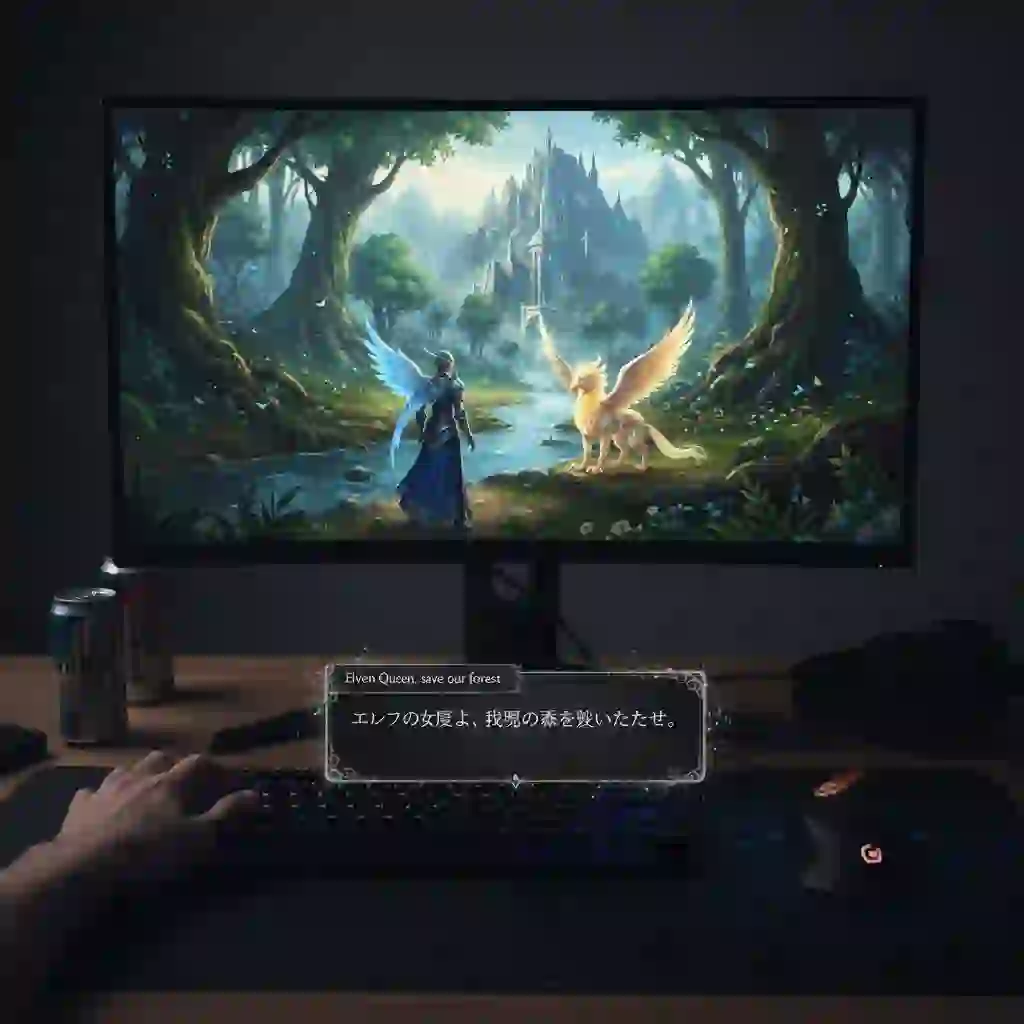
The pc game translator overlay is the most significant feature of a top-tier live screen translator pc. This function displays the translated text in a transparent layer. It sits on top of or next to the original text.
It does not block critical parts of the game screen. You never miss any action. This is vital for visual novels or RPGs with heavy dialogue. It also helps with understanding complex UI elements.
Seeing a demonstration of a PC game translator overlay in action can help you understand its power and how it maintains immersion while providing real-time translation.
The overlay makes the translation feel like a native part of the game. It maintains the game's atmosphere. This is a core function of any effective live screen translator pc.
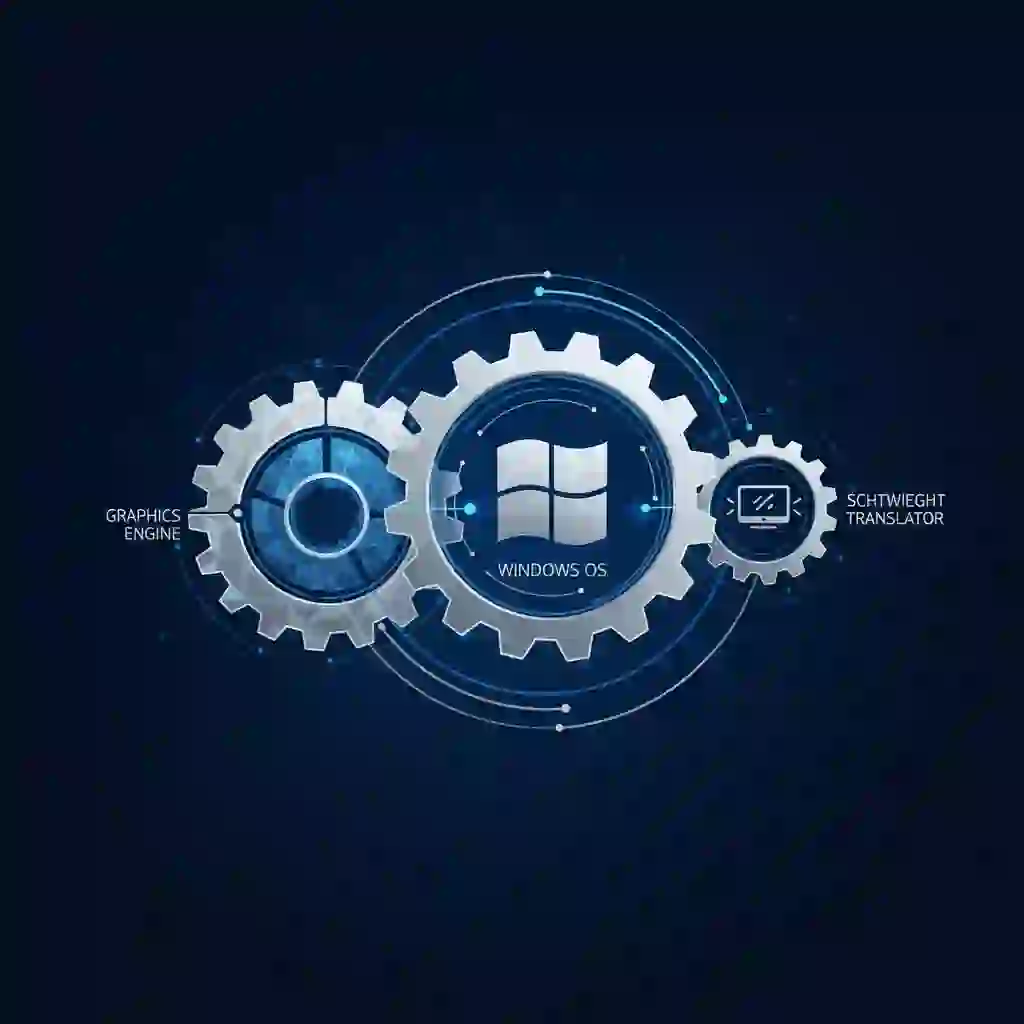
1.4. Designed for Windows: Why You Need a Native Screen Translator for Windows
A native screen translator for windows is usually better than a web-based solution. You should choose a dedicated Windows application. Developers optimize these apps to work with the operating system.
This results in lower resource consumption. It addresses gamer concerns about performance. A well-built application will not cause your game to lag.
These tools also integrate better with Windows' graphics APIs. This allows for efficient screen capture. It helps translate text from screen with minimal system impact. For a stable experience, a native live screen translator pc is the superior choice.
2. From Novice to Expert: How to Choose and Set Up Your First Live Screen Translator PC
Selecting the right tool is the most critical step. The market offers many options. Each has its own strengths and weaknesses.
A great live screen translator pc can feel like magic. A poor one can be frustrating. This section will guide you. You will learn to choose and configure the perfect live screen translator pc for your needs.
2.1. Choosing Your Weapon: The Five Golden Rules for Picking a Live Screen Translator PC
Consider five essential criteria before downloading the first tool you find. These criteria help you select a reliable live screen translator pc. It will enhance your experience.
First is OCR Accuracy. You need the ability to recognize text from the screen accurately. This is the foundation of any translation tool. A good solution handles various game fonts. If the OCR is inaccurate, the translation will be gibberish. This applies regardless of the translation engine's quality.
Second is Translation Engine Support. Your live screen translator pc should support high-quality engines. Look for DeepL or Google Translate support. The best tools allow you to choose your preferred engine. This gives you control over the translation quality.
Third is Performance and Resource Usage. This is a major concern for gamers. A poorly optimized tool can consume significant CPU and GPU resources. This leads to frame drops and lag. Our research shows this is a top pain point. Look for a lightweight live screen translator pc.
Fourth is Ease of Use and Customization. A good tool should be intuitive. Hotkey setup should be simple. You should be able to select the translation area easily.
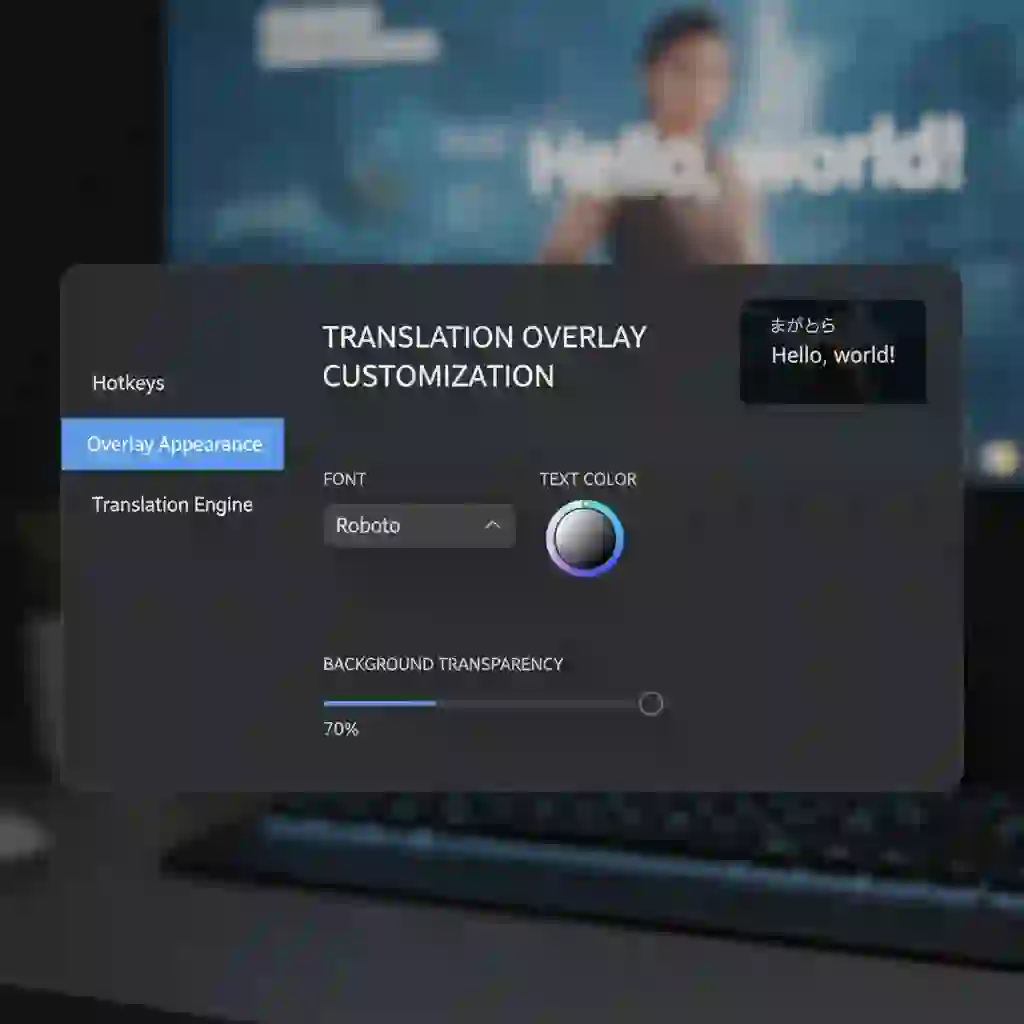
Customization options for the overlay are also crucial. Adjust the font and background for a comfortable viewing experience.
Fifth is Privacy and Security. This is non-negotiable. A live screen translator pc needs to view your screen. You must choose a tool with a clear privacy policy. The most secure options process all data locally on your machine. They do not upload your screen data to any server. Always choose a solution that respects your privacy.
Community discussions on platforms like Quora provide valuable insights into which features users prioritize when selecting an on-screen translator for their daily needs and gaming sessions.
What's a good on-screen translator? on Quora
https://www.quora.com/Whats-a-good-on-screen-translator2.2. Basic Setup Tutorial: Get Your Live Screen Translator PC Running in Three Steps
Getting your tool running is usually a straightforward process. Most tools follow a similar setup flow. Here is a general three-step guide.
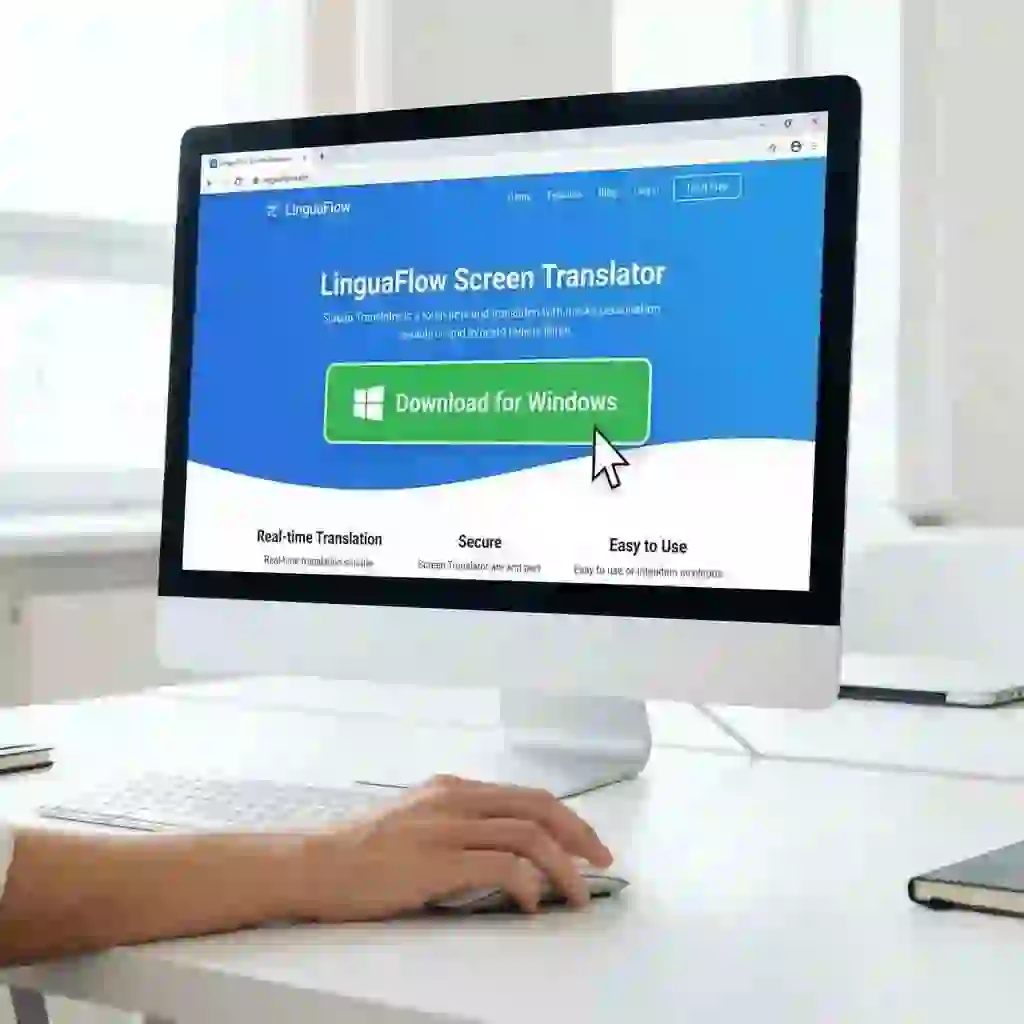
Step 1: Download and Install. Always download your desktop screen translator from the official website. You can also use a trusted source like the Microsoft Store. This avoids the risk of malware. Follow the installation instructions to get the software on your system.
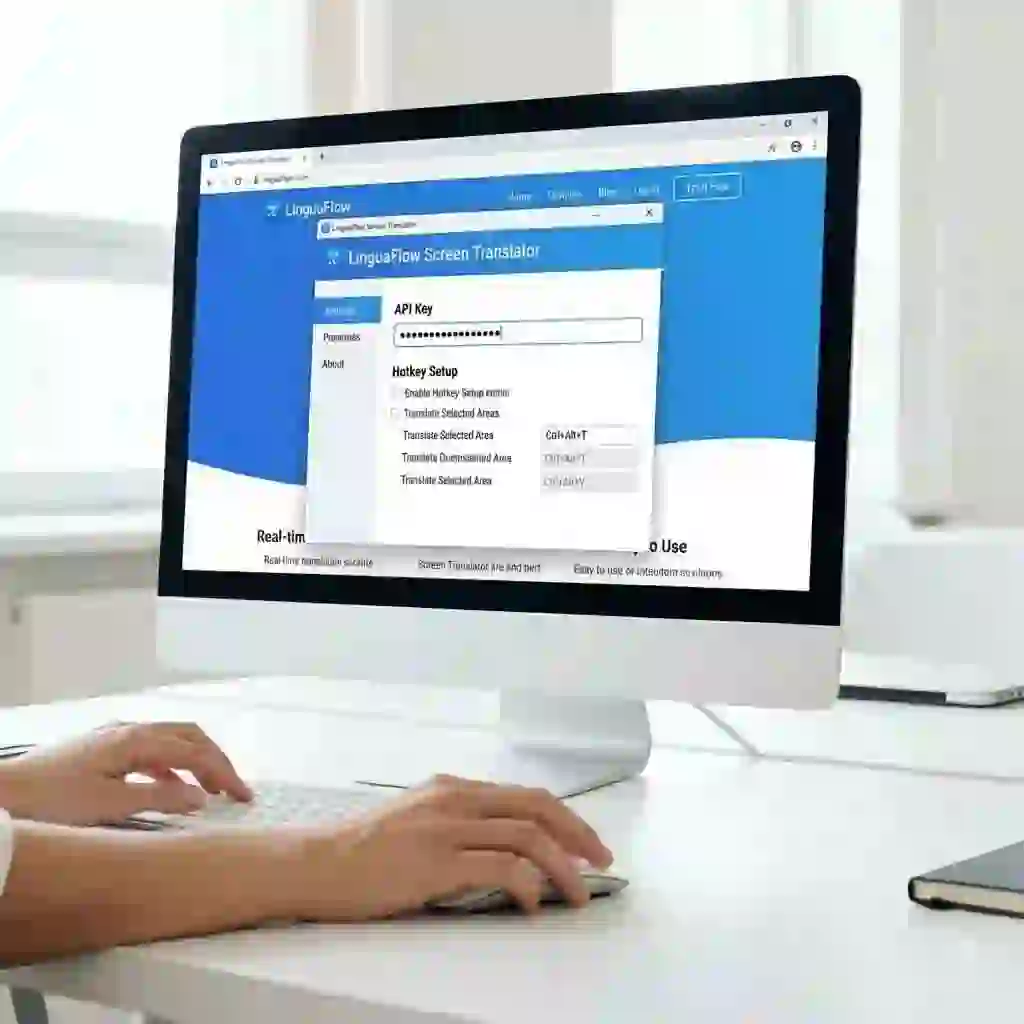
Step 2: Configure API Keys and Hotkeys. Some tools need you to enter an API key for the translation service. This might be for DeepL. The documentation will guide you. Next, configure your hotkeys. Set a key for instant translation. Set another to show/hide the overlay. You might also want one to re-capture the screen area. A good live screen translator pc makes this simple.
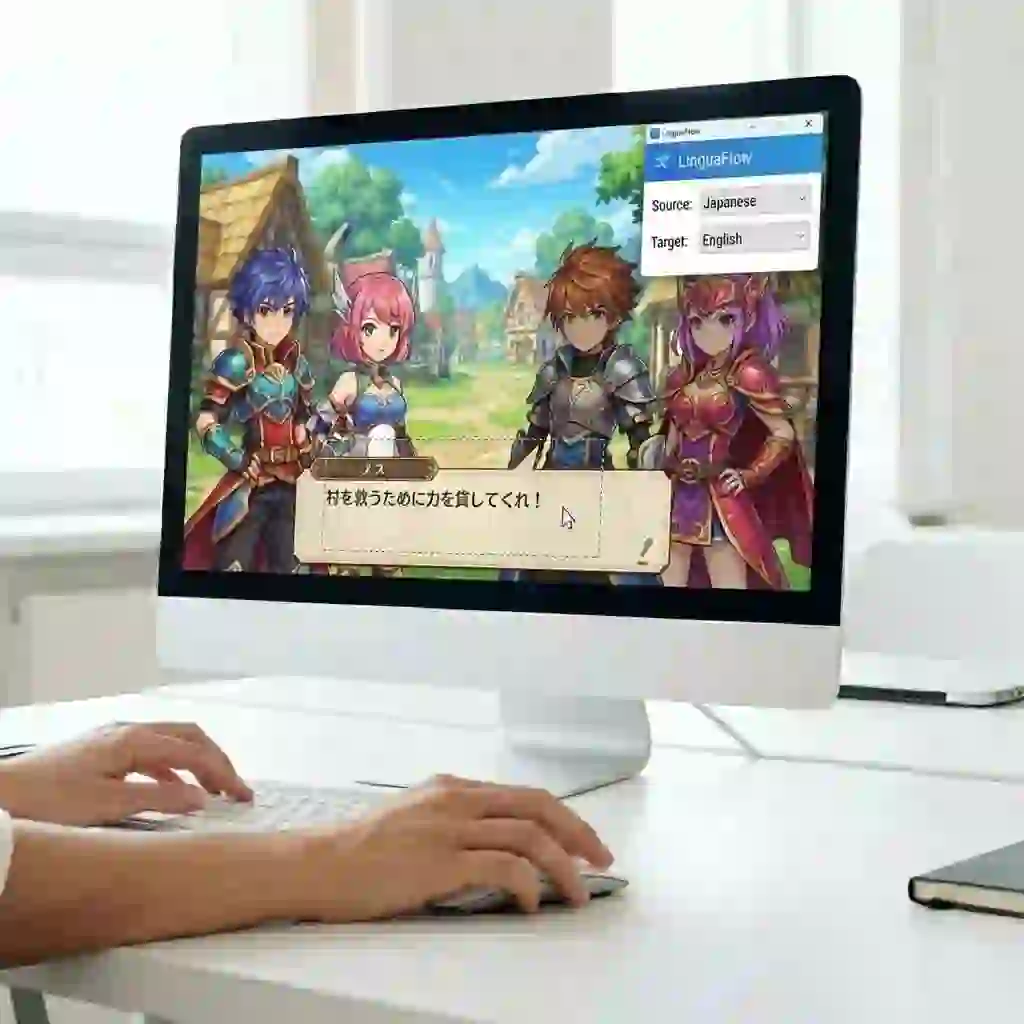
Step 3: Select Translation Area and Languages. Launch your game. Use the tool's selection feature. This is usually activated by a hotkey. Draw a box around the dialogue or menu text you want to translate. Finally, go into the settings. Set your source language and target language. Now you are ready to use your tool!
2.3. Optimizing Display: Achieving the Perfect Translate Side by Side Experience
A default overlay is functional. However, a customized one is immersive. Take a few minutes to tweak the display settings of your live screen translator pc. Adjust the font to something readable that matches the game's aesthetic.
Change the text color and background transparency. Ensure high contrast without blocking the game world. The goal is to achieve a perfect translate side by side or reading side by side effect. The translation should feel like a natural part of the UI.
Short video tutorials can quickly show you how to configure and use a screen translator app, making the setup process much easier and more intuitive.
The experience can resemble an html hover over text feature on a webpage. Information appears right where you need it. This level of integration separates a basic tool from a great one.
2.4. Exploring Advanced Features: From Text to Speech Evolution
Many modern tools offer features beyond simple text translation. One of the most useful is hover pronunciation. This feature lets you hear the pronunciation of a translated word. You just hover your mouse over it.
This is an incredible asset for language learners who use games as a study tool. It is also a valuable accessibility feature. Look for these advanced functions when choosing your live screen translator pc. They provide even more value.
3. Advanced Combat: Unlocking the Full Potential of a Live Screen Translator PC in Different Gaming Scenarios
You have mastered the basics. Now, tailor your live screen translator pc to specific gaming genres.
Different games present unique challenges. RPGs have walls of text. Action games have fast-paced UI updates. You must optimize your live screen translator pc for each scenario. This is key to a flawless experience. A versatile live screen translator pc can handle them all.
3.1. Scenario One: Visual Novels and RPGs – A Story Lover's Dream
Visual novels and RPGs are heavy on narrative. You need to configure your live screen translator pc to handle large blocks of text. The main goal is comfortable, continuous reading.
Start by setting a larger translation capture area. Cover the entire dialogue box. Then, explore your pc game translator overlay settings. Look for an auto-scroll or page-turn feature.
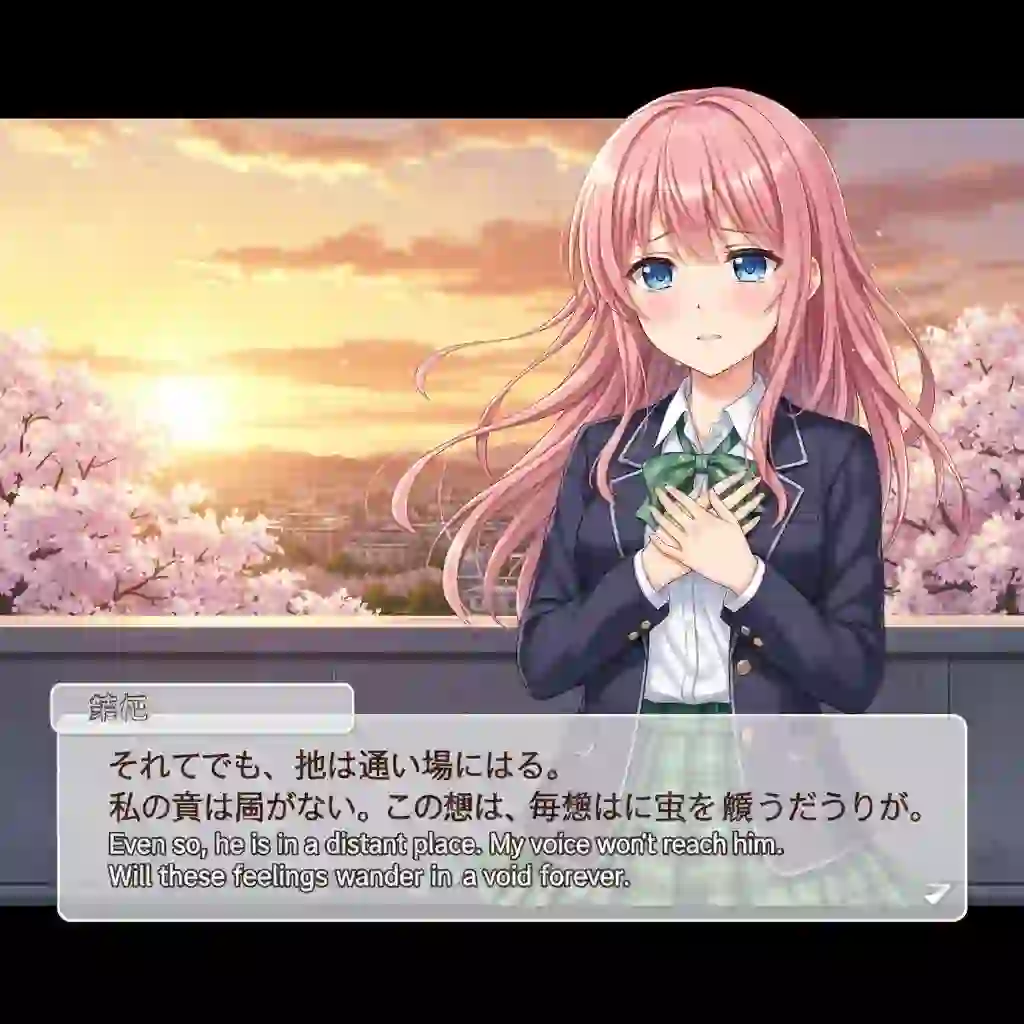
This allows the translation overlay to keep up with the game's text. You won't need to recapture the screen for every new line.
Take a classic like Steins;Gate in its original Japanese. A configured live screen translator pc can provide a seamless experience. It feels almost identical to an official localization. This is where a powerful live screen translator pc truly shines.
Gamers on Reddit often share their specific setups and workarounds for translating different types of games, providing a wealth of community knowledge for new users.
Screen Translator for Computer? on Reddit
https://www.reddit.com/r/gachagaming/comments/lu2gb6/screen_translator_for_computer/3.2. Scenario Two: Fast-Paced Action Games – Menu and UI Translation Tricks
Speed is everything in action games. You do not have time to read long paragraphs. The focus is on understanding UI elements quickly. You also need to read skill descriptions and mission objectives.
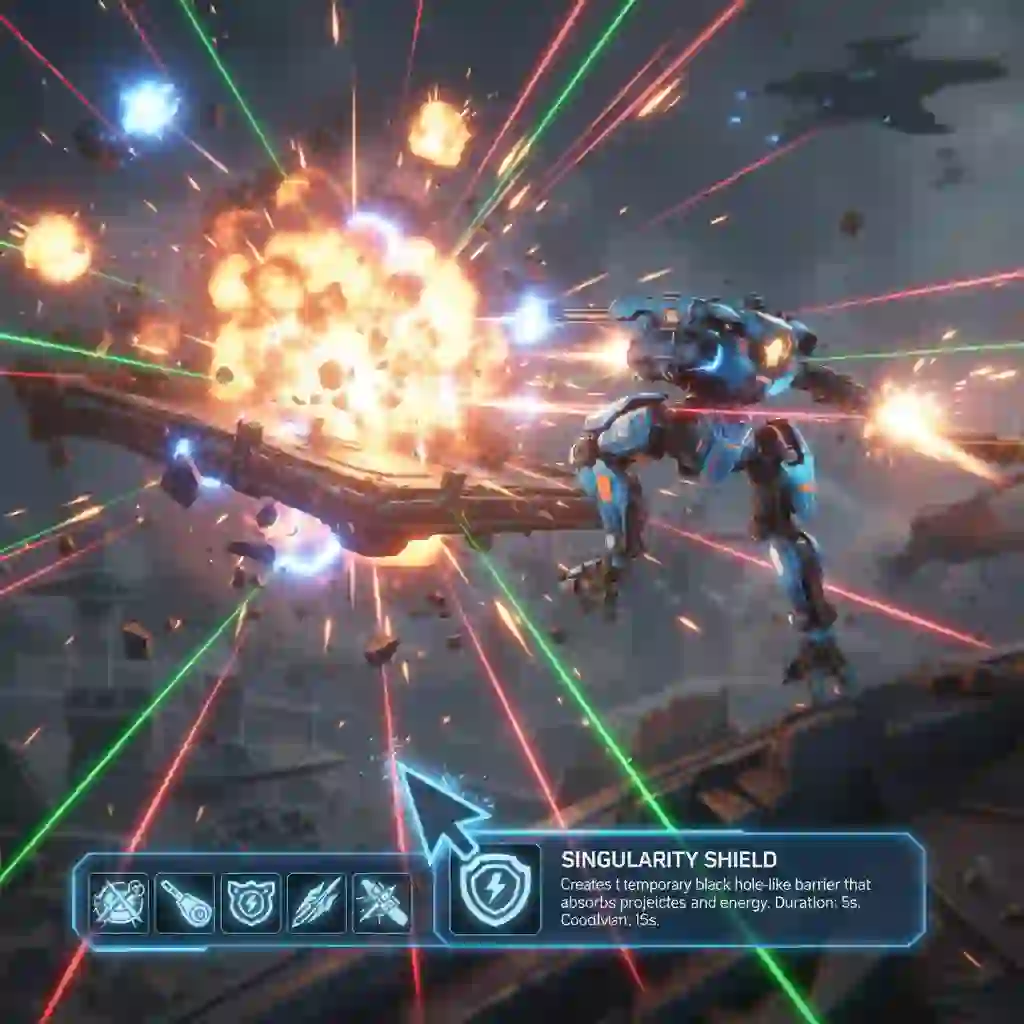
Set up your live screen translator pc for precision and speed. Use a small, precise capture area. You can move it around the screen fast. Better yet, use a "hover-to-translate" mode if your tool supports it. This mode translates whatever text is under your mouse cursor automatically.
The experience is similar to using a browser extension like hover zoom firefox. That extension lets you preview an image by hovering over a thumbnail.
Similarly, a good tool with this feature lets you understand a skill icon instantly by hovering over it. This makes your live screen translator pc an indispensable tool for fast-paced gameplay.
3.3. Pushing the Limits: How to Handle Vertical Text and Artistic Fonts
This is a specific pain point for many users. Japanese games often use vertical text. Many games also use stylized or artistic fonts. These can confuse a standard on-screen OCR translator.
Advanced tools address this with sophisticated algorithms. Developers train them to recognize text in different orientations and styles. If you encounter this issue, dive into your tool's OCR engine settings.
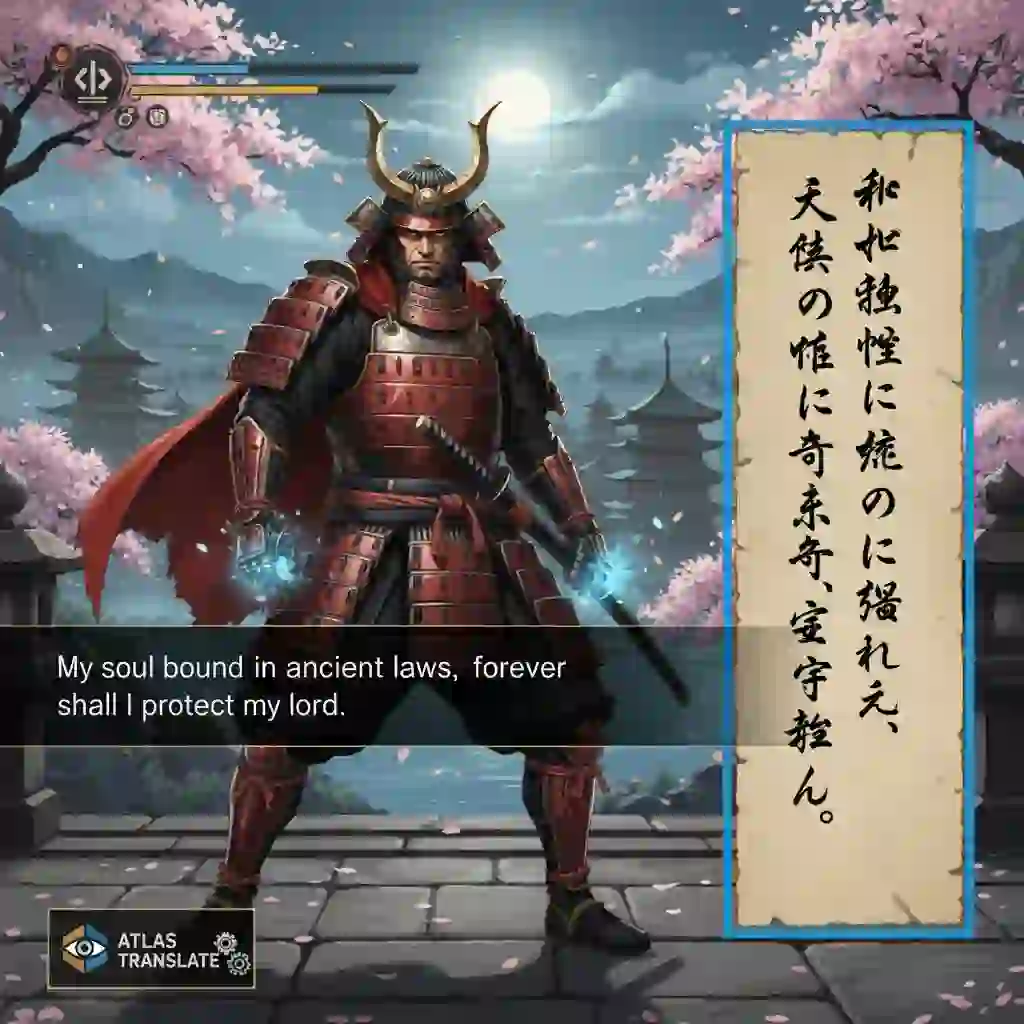
Some allow you to specify the text orientation (horizontal or vertical). Others might have pre-processing options that can clean up the image before OCR, improving the recognition of difficult fonts. A top-tier live screen translator pc will have options to tackle these challenges.
3.4. Common Problems Troubleshooting (FAQ)
Even the best tools can run into issues. Here is a list of common problems and their solutions to keep your real-time screen translation running smoothly.
"Why doesn't my live screen translator pc work in my fullscreen game?" This is the most common issue. Most screen capture technology works best with games running in borderless windowed or windowed mode. Try changing your game's display settings. Also, check if your screen translator for windows specifically supports the game's rendering mode (e.g., DirectX 11, DirectX 12, Vulkan).
"The translation is just garbled text. What's wrong?" This is usually an OCR or language setting problem. First, double-check that your source language is set correctly in the tool. If it is, try switching to a different OCR engine within your software. Some engines are better at certain languages or fonts than others.
"The real-time screen translation is too slow and causes lag. How can I fix it?" Performance issues can be tricky. First, try reducing the size of the capture area; a smaller area requires fewer resources. Close any unnecessary background applications. If you are using a high-resource OCR engine, switch to a more lightweight one. Finally, if your live screen translator pc relies on an online translation service, check your internet connection speed.
4. A Head-to-Head Review of Mainstream Live Screen Translator PC Tools: Which is Best for You?
With a clear understanding of what a live screen translator pc does, it is time to look at specific tools. We have tested several of the most popular options on the market to help you decide. A good solution should be a reliable partner in your gaming adventures. This review will help you find the perfect one.
4.1. Our Review Criteria: How We Measure a Great Live Screen Translator PC
To provide a fair and useful comparison, we evaluated each tool based on five key metrics. These criteria reflect the most common user concerns and have a direct impact on the overall experience.
The first metric is Performance Impact (FPS): How much does the tool affect game performance? The second is OCR Accuracy: How well does it translate text from screen, especially with difficult fonts? The third is Ease of Use: How intuitive is the setup and daily operation? The fourth is Feature Richness: What extra features does it offer (e.g., pc game translator overlay customization, translate side by side modes)? The fifth is Privacy Policy: How does the desktop screen translator handle your data?
4.2. The Geek's Choice for Open-Source: Translumo
Translumo is a favorite among tech-savvy gamers. As a free and open-source project, it offers a high degree of customization and is specifically designed for gaming.
Pros: It is free, highly configurable, and well-optimized for performance. This tool is built by gamers, for gamers. Cons: The setup process is relatively complex and can be intimidating for beginners. It often requires manual configuration of settings to work perfectly. Verdict: Translumo is the ideal live screen translator pc for hardcore players who enjoy tinkering with settings to achieve the best possible performance.
4.3. The Convenient Choice from the Microsoft Store: WindowTranslator
For those who prefer a simple, plug-and-play solution, WindowTranslator is an excellent choice. It is available directly from the Microsoft Store, making installation a breeze.
Pros: It is incredibly easy to install and use. As a stable desktop screen translator, it supports multiple translation engines out of the box. Cons: It offers fewer customization options compared to other tools. You might encounter compatibility issues with certain niche games. Verdict: This is the perfect tool for casual users who want a straightforward solution that just works without any complex setup
4.4. The Premium Choice for Ultimate Immersion: Gaminik
Gaminik is a commercial product that focuses on providing the most seamless and immersive experience possible. It is designed for users who are willing to pay for top quality.
Pros: It boasts extremely fast translation speeds (under 1 second) and a flawless pc game translator overlay. It also has a strong privacy focus, processing all data locally. This is a very polished solution. Cons: It is a paid software, which might be a barrier for some users. Verdict: Gaminik is the best live screen translator pc for players with a budget who demand the highest level of immersion and a premium, hassle-free experience. The reading side by side feature is top-notch.
Exploring how different platforms are integrating AI for translation can give you a glimpse into the future of seamless, real-time communication and content consumption.
4.5. Performance Benchmark Test
To put these claims to the test, we ran each live screen translator pc while playing a demanding game (Elden Ring at High settings) and measured the impact on system resources. The results highlight the importance of choosing a well-optimized tool.
| Tool | CPU Usage (Avg) | Memory Usage (Avg) | FPS Drop (Avg) |
|---|---|---|---|
| Translumo | ~5% | ~250 MB | 1-2 FPS |
| WindowTranslator | ~8% | ~350 MB | 2-4 FPS |
| Gaminik | ~4% | ~200 MB | 0-1 FPS |
| No Translator | N/A | N/A | 0 FPS |
As the data shows, a dedicated and optimized live screen translator pc like Gaminik or Translumo has a minimal impact on game performance, making them excellent choices for serious gamers. This is a key factor when selecting your tool.
5. Special Scenario Solutions: When a Live Screen Translator PC Isn't Enough
A live screen translator pc is an unbeatable tool for real-time screen translation. However, there are specific situations where it might not be the most efficient solution. Understanding these limitations and knowing the right tool for the job is part of becoming a true expert. Sometimes, you need a different approach than a standard screen translator.
5.1. The Limits of OCR: Handling Local Video and Subtitle Files
It is important to clarify a key point: while a live screen translator pc is phenomenal for live content, it is not the best tool for pre-existing files. If you have downloaded a movie, an anime series, or an online course with separate subtitle files (like SRT, ASS, or VTT), using an on-screen OCR translator to read the text from your video player is highly inefficient. The accuracy will be lower, and the process will be clumsy. A much better workflow is to translate the subtitle file directly. This is a scenario where a different kind of tool complements your screen translation setup.
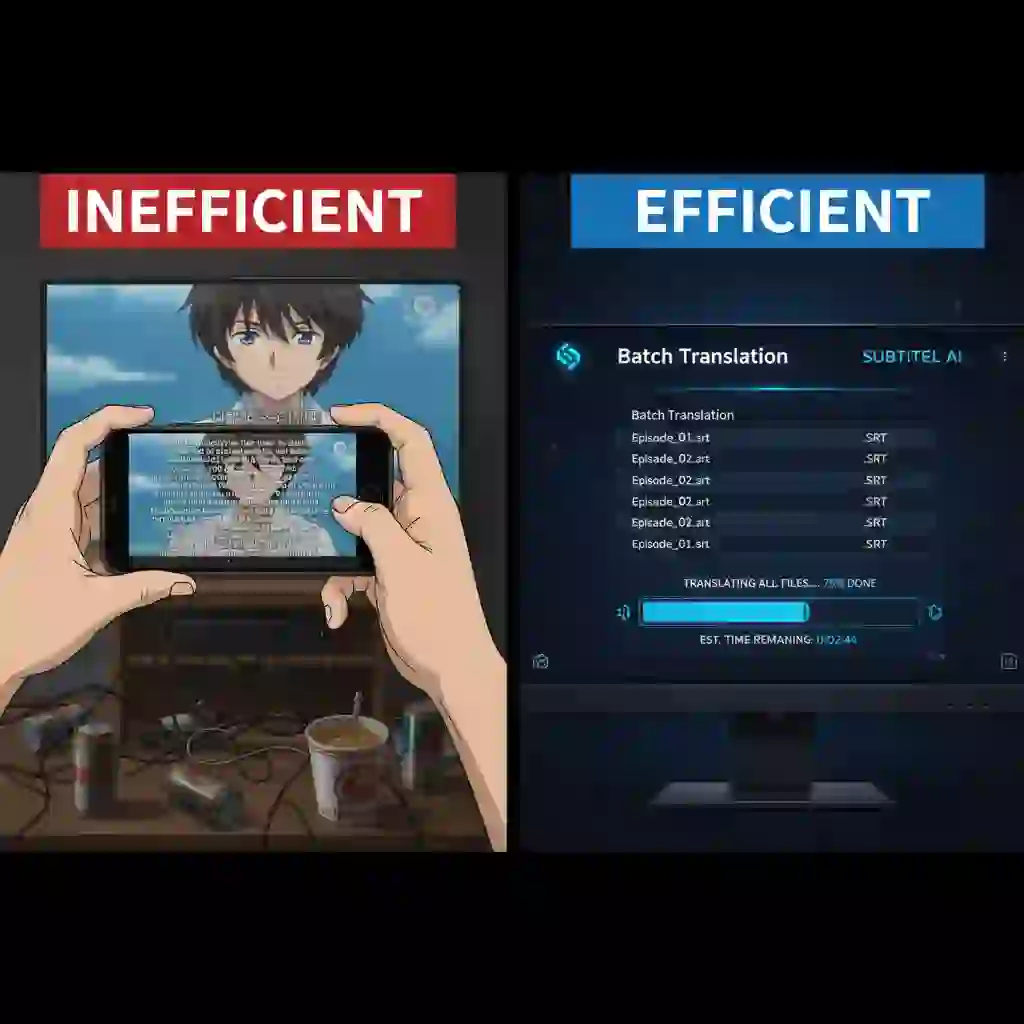
5.2. Professional Tool Recommendation: Precision Subtitle Translation with an AI Subtitle Translator
For these specific needs, we recommend a professional ai video subtitle adder and translation tool, such as Subtitle Translator. This type of software is designed to handle subtitle files with precision and efficiency, acting as the perfect companion to your live screen translator pc for your off-game media library.
It offers Extensive Format Support: Easily handle SRT, ASS, VTT, and other common subtitle formats. It provides Powerful Language Capabilities: Support for translation between over 100 languages, covering even the most niche content. It enables Batch Processing Efficiency: Translate an entire season of an anime or a whole course's worth of subtitle files at once, saving you a massive amount of time.
Think of it this way: your live screen translator pc is the key to your interactive gaming library, while a dedicated subtitle translator unlocks your entire media library. They are two essential tools for a truly borderless entertainment experience. You need both to translate text from screen and from files effectively. The hover pronunciation feature in some tools is great, but batch processing subtitles is a different league. A good screen translator for windows setup includes both a real-time tool and a file-based one.
This product can process multi-format subtitles with one click, accurately translate over 100 languages, support batch conversion, and is suitable for multiple scenarios such as videos, animations, and courses, making language barriers no longer an obstacle to viewing.Explore the Best AI Subtitle Translator for Multi-Language Video
6. Embrace the Era of Borderless Gaming and Entertainment Now
The digital world is vast and full of incredible content. Language should no longer be a barrier to exploring it. A powerful translation toolkit can tear down those walls, giving you access to a universe of entertainment. This is the power of a modern live screen translator pc.
Whether you are immersing yourself in the grand narrative of a foreign RPG or catching up on the latest subtitled drama, the right tools make all the difference. A great live screen translator pc is the key to your gaming library, allowing you to play anything you want, whenever you want. A professional subtitle translator, in turn, unlocks your entire media library, ensuring you never miss out on a great story. Together, they offer a complete solution for any language challenge you might face on your PC. The era of waiting for official translations is over, thanks to modern translation technology.
Stop letting language barriers dictate your entertainment choices. Take action now! Use this comprehensive guide to choose and install your first live screen translator pc. Go conquer those masterpieces you once gave up on because you could not understand them. The adventure is waiting.
What foreign-language game are you most excited to play with a live screen translator pc? Share your adventure plans in the comments below! We would love to hear from you.